<SignIn />
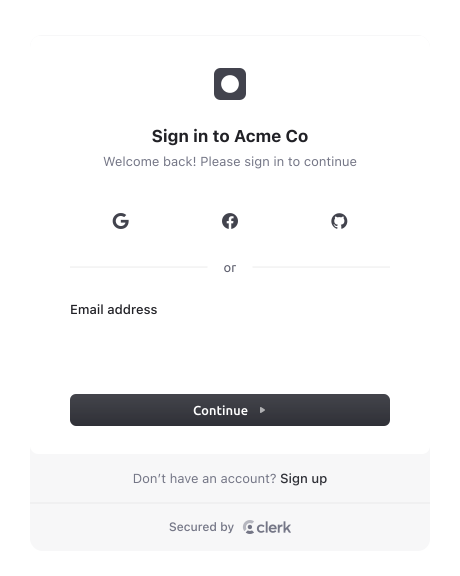
The <SignIn /> component renders a UI for signing in users. The functionality of the <SignIn /> component is controlled by the instance settings you specify in your Clerk Dashboard, such as sign-in and sign-up options and social connections. You can further customize your <SignIn /> component by passing additional properties at the time of rendering.
INFO
The <SignUp/> and <SignIn/> components cannot render when a user is already signed in, unless the application allows multiple sessions. If a user is already signed in and the application only allows a single session, Clerk will redirect the user to the Home URL instead.
Props
Click here to see the full list of props available.
Usage
Below is basic implementation of the <SignIn /> component. You can use this as a starting point for your own implementation.
vue
<script setup>
import { SignIn } from 'vue-clerk'
</script>

<template>
  <SignIn path="/sign-in" />
</template>